My AI Stack 2026: What I Actually Use Every Day
My working AI stack for 2026 at ~$300/month: Claude Code, Obsidian, 17 agents, a three-model council. The tools, the prices, and why the value is in the connections.
Andrew Maryasov, AI consultant. I deploy AI agents for businesses and work every day inside a system I built for myself. This isn’t a “top 10 tools” list — it’s my real stack with prices, no affiliate links, no dressing it up. What I actually use, not what looks good in a review.
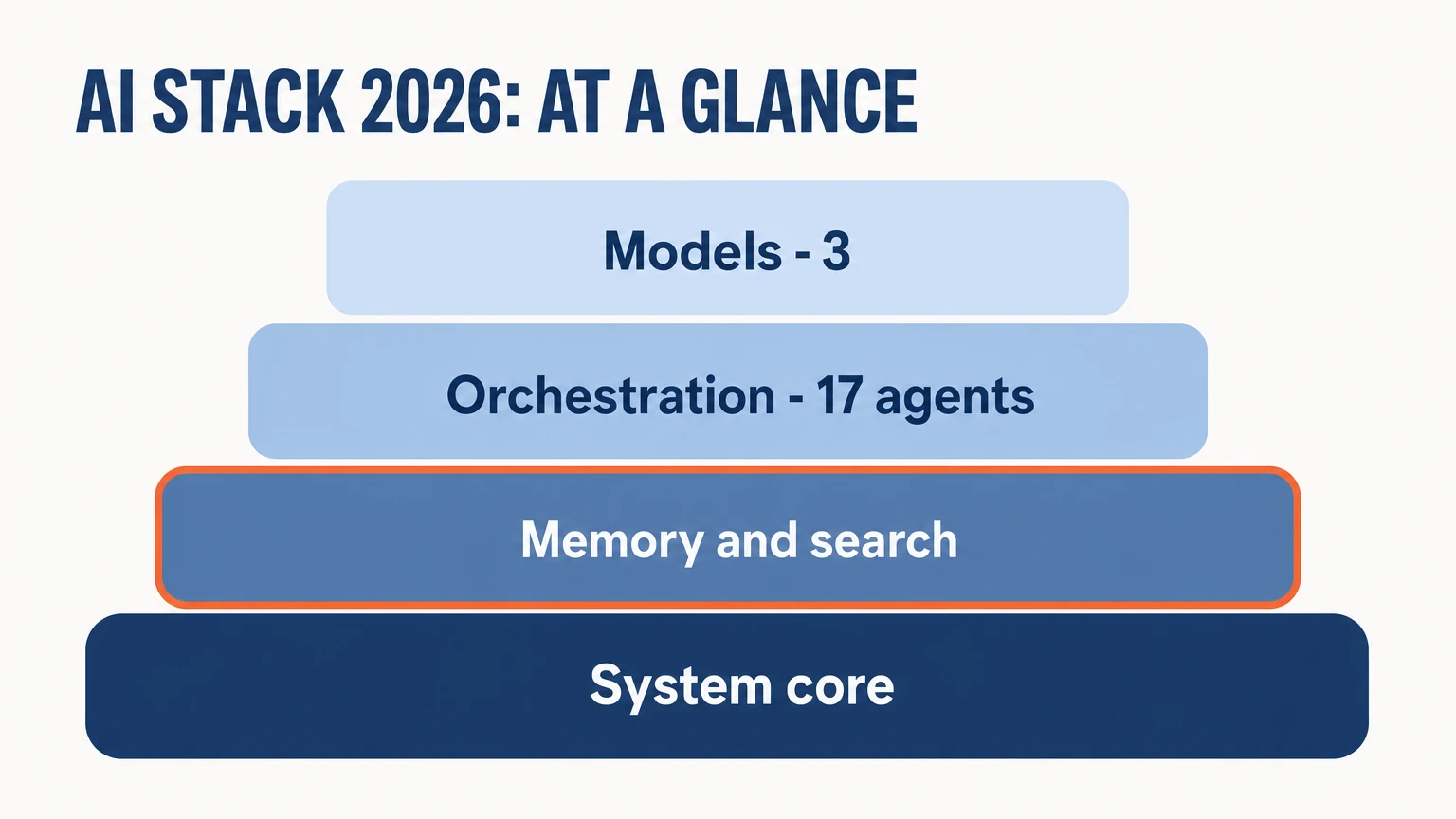
TL;DR (in 30 seconds)
- The full stack costs ~$300/month. For that money — a system where knowledge is stored, decisions are remembered, content is created semi-automatically, and routine work is delegated to agents.
- The core is Claude Code (~$200/mo). Brain and hands: it writes code, runs agents, searches through files. Everything else is built around it.
- The value lives in the connections between the tools, not in the tools themselves. Claude Code is useful on its own, Obsidian is useful on its own. When they work as one, the set of subscriptions turns into a system that thinks alongside me.
- The most expensive part of the stack isn’t the subscriptions — it’s the evenings I spent wiring it all together.
Why a “set of subscriptions” isn’t a stack
Not long ago I had ChatGPT, Notion, and a dozen other subscriptions, each promising to “change my productivity forever.” Every month I spent roughly the same amount I do now, but most of those tools I opened once a week — and some I forgot even existed.
The problem wasn’t the tools. They didn’t talk to each other. Each one lived in its own window, with its own context, and I was the glue that had to connect everything together by hand. Every day. Copy-pasting from one tab into another, like it’s 2015.
Then I switched to Claude Code and rebuilt everything from scratch in a few months.
Here’s my stack — no dressing it up, with prices. First a quick table, then why it’s set up this way.
The stack at a glance
| Tool | Role | Price/mo | Self-hosted |
|---|---|---|---|
| Claude Code | Brain and hands: code, agents, search, git | ~$200 | No |
| Obsidian | Knowledge base (external memory) | Free | Yes (files on disk) |
| Graphiti + LightRAG + MemPalace | Long-term memory + search across the vault | Free | Yes (Docker) |
| Paperclip | Orchestrator for 17 AI agents | Free | Yes (Docker) |
| MCP servers | Connectors: Exa, Google, CRM, Telegram | Mostly free | Partially |
| Gemini API + Google One | Image generation + Gemini Pro + NotebookLM | ~$5-10 (API) | No |
| ChatGPT | ”Council” + an alternative viewpoint | $20 | No |
| Perplexity | Fast search for current info | Free | No |
| 60+ skills | Micro-agents for specific tasks | Free | Yes |
| Tokens beyond subscriptions | Model calls over the API, outside the plans | ~$50-75 | No |
All together — somewhere around $280-300 a month. That figure holds because of a daily ceiling: mine is $15 a day and I do not let myself past it — more on that in six months of a personal AI operating system. Now let’s go through it in order.
The core of the system
Claude Code (~$200/mo) — brain and hands
This is the center of everything. It writes code, runs agents, searches through files, commits to git. I’ve stopped looking for cheaper alternatives — after a few attempts I realized that “cheaper” ends up more expensive, because time costs money too.
This tool just works. And it’s a joy: you think about the task, not about the tool.
Obsidian (free) — knowledge base
Everything I know, think, and plan lives here. Markdown files on disk, no cloud, no subscriptions. PARA structure, wikilinks between everything, daily notes.
Sounds simple, but once you have 500+ notes and they’re linked to each other, it’s external memory rather than a notepad.
Memory and search
Graphiti + LightRAG (self-hosted, free)
Two separate roles that together give the system memory.
Graphiti — long-term memory. It remembers decisions, preferences, contacts. A week later I ask “what did we decide on project X?” — and it knows.
LightRAG — search across the entire vault through a knowledge graph.
Both run in Docker on my Mac mini. (Sure, they crash at three in the morning sometimes, but that’s a detail.)
MCP servers (mostly free) — connectors to everything
Search via Exa, Google Calendar and Gmail, Bitrix24 CRM. One protocol, dozens of integrations.
I wrote about MCP separately not long ago — it’s a kind of USB-C for AI: the idea is right, the implementation isn’t perfect yet, but it already works.
Orchestration: 17 agents
Paperclip (self-hosted, free)
The agent orchestrator. Right now I have 17 AI agents, and each has its own role: one writes content, another adapts it for platforms, a third does daily reviews.
This very post, by the way, was first born in one of them — Content-Creator. No, seriously.
If you’re curious where the line runs between a simple bot and a system of agents like this one, I broke it down separately: AI agent vs. chatbot: the difference, the price, when to choose which.
Models: why keep three
Gemini API (~$5-10/mo) + Google One with Gemini AI Pro
A double role. The API is for generating images: prompts of a hundred-plus words, styling in different visual styles. The Google One subscription buys more than disk space: access to Gemini Pro with extended limits comes with it.
Plus NotebookLM — a tool that turns documents into an interactive knowledge base with AI podcasts, also with extended limits. Google is the first to ship new features for paying subscribers — so I keep it.
ChatGPT ($20/mo) — not the main one, but needed
I keep the simplest subscription — to track new features that OpenAI ships earlier for paying users. And, most of all, for an alternative viewpoint.
When I need a “council” — a mode of work where several models review code or plan a complex task — I run Claude, Gemini, and ChatGPT in parallel. They often see different things, and that gives a far better result than a single model.
Perplexity — fast search
Still the best tool for quickly finding current information. It has its own indexing system, doesn’t rely on Google, and answers faster than anything else.
What connects everything: 60+ skills
60+ skills for Claude Code — written for myself and from the community. Storytelling, content workflows, legal documents, webinar prep, audits, translations — each one a micro-agent for a specific task.
For example, the BMad Method — a powerful system for developing complex solutions and structured problem-solving through design thinking, storytelling frameworks, and problem solving.
Skills are what turn Claude Code from a smart chatbot into a working tool.
How the approach itself changed
And one more thing that changed a lot over the past six months: I stopped looking for ready-made tools for every task.
Instead of subscribing to yet another SaaS, I just ask Claude Code to write what I need. Small utilities, scripts, local dashboards, converters — everything that used to require a separate service now gets done in an evening. Most of these tools didn’t even exist six months ago — I create them as needed.
(If you’re just assembling your own kit and want a wider market overview, not only my personal stack — I put together a separate breakdown: the best AI tools for business in 2026. It covers 28 selected tools with prices.)
What it really costs
All together it comes out to somewhere around $280-300 a month — with a $15/day ceiling on LLM spend. For that money I have a system where knowledge is stored, decisions are remembered, content is created semi-automatically, and routine work is delegated to agents.
The most expensive part of the stack isn’t the subscriptions. The most expensive part is the evenings I spent wiring it all together. Scripts, configs, Docker containers, MCP servers that refuse to work. Not glamorous — but it works.
Not the tools, but the connections between them
Claude Code on its own — useful. Obsidian on its own — useful. But when Claude Code reads from the vault, searches through LightRAG, remembers through Graphiti, and coordinates agents through Paperclip — it’s a system that thinks alongside you rather than a set of tools.
I carry the same principle over to client projects. When we automate business processes at Auspex, and build AI agents at Grow2.ai, the question is always the same: how do we connect what’s already there into a system that runs itself. Nobody asks which tool is cooler.
So what’s your stack? I’m curious — is anyone else still building their own, or is everyone sitting on all-in-one solutions?

A letter on AI — 2–3 emails a month
Personal essays on how AI changes the way we think and work: what I tried myself, what worked and what didn't. At the end, links to the best of what I read.
No spam. Unsubscribe in one click.