A Personal AI Operating System: Six Months of Practice, by the Numbers
Six months of building a personal AI operating system: files over prompts, five failure modes, the METR numbers, where to start, and a 30-day plan.
Andrew Maryasov, AI consultant. I deploy AI agents for businesses, and since November 2025 I’ve been living inside my own AI operating system — an ordinary Markdown folder that an agent reads. This isn’t a “how I automated everything in one evening” post. It’s an honest report: what worked, what didn’t, and where I caught myself doing something dumb.
TL;DR (in 30 seconds)
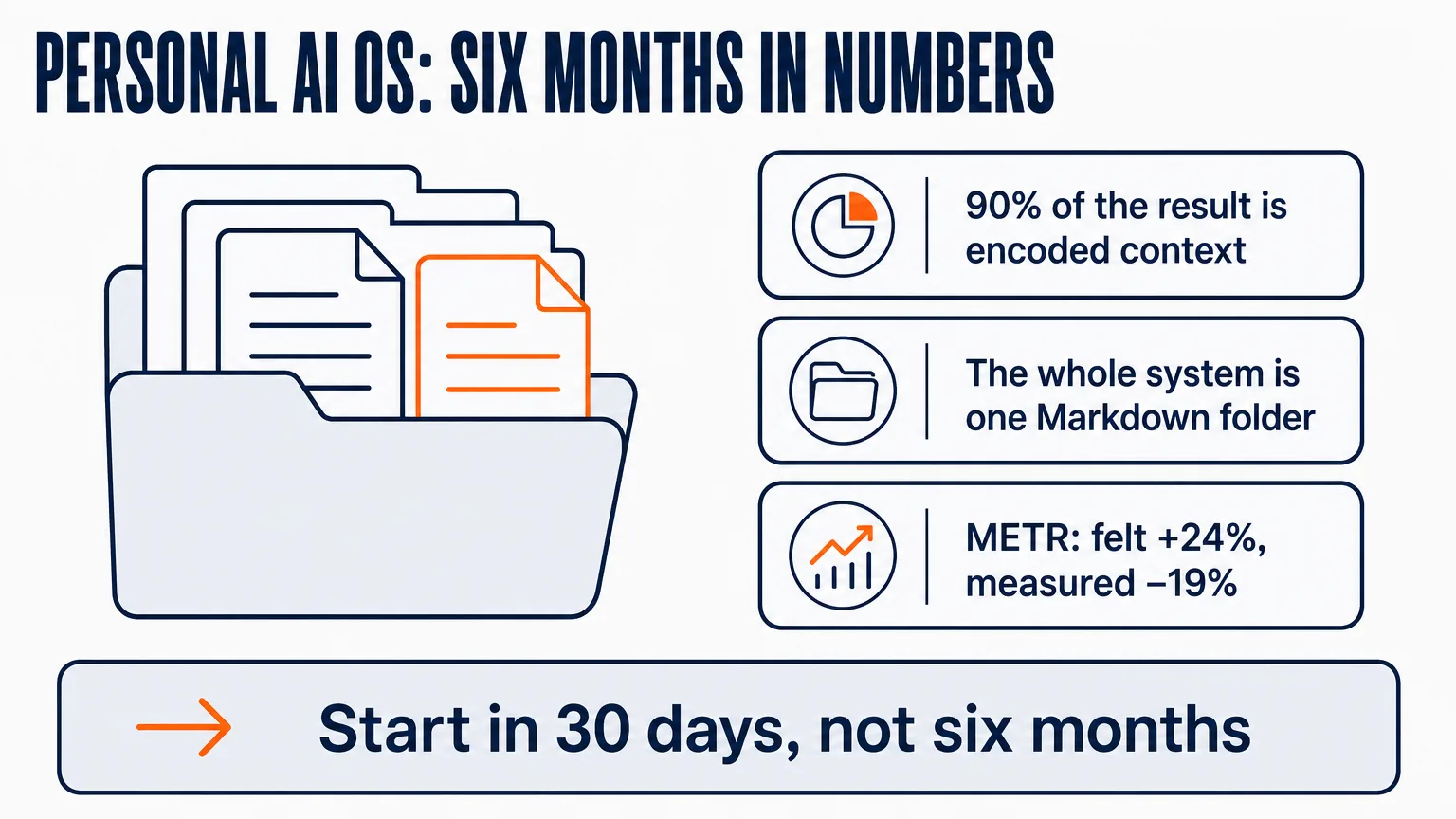
- 90% of the result is encoded context, not prompt cleverness. The accumulated context about me, my work, and my goals matters more than any phrasing of the request.
- The whole system is one Markdown folder. No custom data layer: git-native, grep-debuggable, and moving to a new tool is a single
cp -R. - You can’t trust your own perception. METR, July 2025: developers forecast a +24% speed-up before starting, while measurement showed −19%. Forty-three percentage points between forecast and fact.
- You can start in 30 days — but not by copying someone else’s stack. A stack is the last page of someone else’s story. You start from context: a week of logging, a week of encoding, one encoded judgment call, all of it measured.
The gist that got 5,000 stars in a week
In April, Andrej Karpathy published a GitHub gist about his daily work with AI. Five thousand stars in the first week, 16 million views on X. His one-line summary: “Obsidian is the IDE; the LLM is the programmer; the wiki is the codebase.”
I’ve been living in exactly this kind of thing for six months. A personal AI operating system here is literally a folder of Markdown files where an agent has full context about me, my projects, and my goals. What follows is numbers: what works, what doesn’t, and where I got in my own way.
Karpathy calls this approach “files are the API.” No custom data layer, no clever runtime: files that a human and an agent see identically — git-native and grep-debuggable. When the next model or a new editor ships, I move with a single cp -R.
Four calibrations you can’t delegate
The main thing I’ve understood over these six months: you can’t build an AI system for a team unless you’ve lived inside one yourself. That’s not grandstanding — it’s four calibrations that only form firsthand.
Taste. Out of a hundred drafts, picking not the “nice” one but the one that solves the problem.
Cost intuition. What a task really costs in tokens: where paying extra for a frontier model is justified, and where Haiku is enough.
Blast-radius intuition. Where you can let the agent run on its own, and where you need eyes on every step, because one mistake will do real damage.
The context-to-prompt ratio. The most painful of the four: 90% of the result comes from encoded context about me, my work, and my goals — not from prompt cleverness. This can’t be delegated to anyone and doesn’t show up on any dashboard. It only accumulates through reps — repetition on real work.
That same conviction grew into my client work at Grow2.ai: before bringing an approach into someone else’s team, I live it myself.
What’s on my disk
Here’s my system — no screenshots, in plain words:
my2brain/
├── .claude/
│   ├── CLAUDE.md           — the agent's operating manual
│   ├── TELOS/              — mission, goals, beliefs, strategies
│   ├── MEMORY/State/       — active task, open loops
│   ├── skills/             — 60+ skills
│   └── rules/, references/ — conventions loaded on trigger
├── 00_Inbox/               — temporary capture
├── 01_Projects/            — active projects with deadlines
├── 02_Areas/               — areas of responsibility
├── 03_Resources/           — references, concepts
├── Goals/                  — cascading goals
└── Daily Notes/            — daily notes
This isn’t Obsidian versus Claude Code — it’s one Markdown folder that both see identically. The full list of tools around it, with prices, I broke down separately: my AI stack 2026.
Four files do all the heavy lifting.
CLAUDE.md — 40-60 lines on who I am and how the workspace is organized. Not marketing — operating constraints. Essentially a specification of my working environment, written as text: the same principle I described in “Software Is Now Text, Not Code,” applied to my own work.
TELOS: mission + goals. So the agent knows which tasks pull toward my goals and which are merely urgent.
A GTD list with five sections — Now, Next, Waiting, Someday, Done. The agent reads it before planning and appends to it after execution.
who-am-i + personal-voice. Without these two, the agent writes generic. With them — it writes the way I would. This post, by the way, is my draft, with the agent editing. Not the other way around.
What actually changed in six months
No “10x productivity” promises. Three things I can show.
I stopped repeating myself. A correction I gave the agent a month ago works automatically today — through the memory system (Graphiti + MemPalace). This is the hardest thing to explain in words: you feel it around week three, when you watch the agent avoid a mistake you’d forgotten you ever told it about.
Context at hand, not in my head. A client asks about something we discussed two months ago — I have the verbatim of that conversation plus structured facts from the graph. No “I think we decided back then…”.
Connections I would never have built deliberately. LightRAG surfaces overlaps between notes. You’re writing a proposal for a new client — and suddenly see a note from a 2024 webinar that fits the case exactly. It’s long gone from my head. It’s still on disk.
Five failure modes I caught myself in
1. Editing AI below your own expert level means making it worse. The field study by Dell’Acqua, Mollick and colleagues with 758 BCG consultants (“Navigating the Jagged Technological Frontier”) showed that editing AI output without expertise in the topic can push the result below what the person would have produced alone. I saw it in my email drafts: for the first few months I rewrote everything — and quality dropped. Now I accept email almost as-is, and in legal documents I rewrite every line, because there I know exactly what I want.
2. After the third failure — don’t re-prompt, add context. The failure is almost always missing context, not the model. A third failure is a signal to step back, not to try again with slightly better phrasing.
3. A prompt that grows quarter after quarter is a signal of missing context. Went from 50 lines to 500 — move the content into context files. Prompts should get shorter; files should grow.
4. Cost drifts quietly. $5 one day, $15 the next, $80 a month later. In the moment it always feels “cheap” — and that’s the worst part. A hard daily limit plus a weekly review is the bare minimum that saves you. Mine is $15 a day right now, and I don’t let myself cross it.
5. Marketplace skills execute with your access rights. A skill is code that runs with your permissions, not a passive instruction. My rule is simple: I read the code of every skill before installing it, and I install nothing I cannot read in ten minutes. I state that as my own policy rather than lean on somebody else’s report.
And the most painful discovery isn’t mine. The METR study (July 2025, “Measuring the Impact of Early-2025 AI on Experienced Open-Source Developer Productivity”): before starting, experienced open-source developers forecast that AI would make them 24% faster, and measurement showed a 19% slowdown. Even afterwards the same developers put themselves at +20%. The authors published the method on their site. In your first month, you can’t trust your feel. You need measurement.
Where to start
The most natural way in is to take someone’s finished stack and copy it. It is also the worst. A stack is the last page of someone else’s story: it was assembled for someone else’s tasks, someone else’s budget, and someone else’s head. Copy the ending and you get a collection of subscriptions plus a feeling that something is off.
The order runs the other way. Context first: what the AI knows about you, your work, and your goals. Five to ten plain-text files will do more for you than a second and a third subscription. Then one repeating task you push through an agent every day. Then a log that separates “this saved time” from “this felt productive.” The tools grow in on their own: my stack looks the way it does because it grew out of context, and the subscriptions came last.
After that comes the thirty-day arc below. And the edge where the map stops: the map is general, the first loop of value is personal. Which process to automate first, what belongs in the context files of your work, where your own line of “the agent may do this” runs — none of that comes out of an article.
30 days instead of six months
It took me half a year of trial and error. You can start faster — here’s the arc that actually works, minus the wasted experiments.
| Week | What to do | Why |
|---|---|---|
| 1 | Run everything through the agent | Not to save time, but for the log: what actually saves time versus what merely feels productive |
| 2 | Encode only what you’ve done twice | Once isn’t worth it: the skill will rot and become clutter |
| 3 | Encode one recurring decision (deal scoring, prospect screening, support triage) as a skill | Writing the rubric reveals which decisions were consistent and which were “whatever felt right that day” |
| 4 | Measure: time, quality, cost, debugging overhead | Kill everything that looks good by feel but fails on the numbers |
Three day-30 markers that separate compounding from a plateau: three to five daily workflows at adequate quality; an acceptance rate above 70% — the share of AI output you accept with minimal edits; and one encoded judgment call — the first artifact you can share with a team.
And here’s the surprise: you don’t consciously choose that first team artifact. The daily brief I built for myself becomes the template for the team standup. A style guide becomes the communication standard. A deal-scoring rubric becomes the team’s due diligence. I don’t pick what to share — the team pulls out whatever scales. It took me until month four to understand that.
Six months is too short to make loud claims. It’s enough for a calibration of “this works” / “this is theater” to emerge. Next I’ll break down specific files and skills one at a time — starting with GTD.md, because that file pays back the time you put into it fastest.
Meanwhile, a question worth more than this entire post. If AI really makes you faster: how exactly did you measure it?
FAQ
Which tool should I start a personal AI system with?
One — any current assistant that can read a folder of your files. The question isn’t the tool, it’s the context: five to ten plain-text files about you, your work, and your goals will do more than a second and a third subscription.
How much does a personal AI system cost per month?
The entry ticket is one subscription. Mine was $20 for ChatGPT, then $20 for Claude. Over six months the system grew to around $300 a month, but that’s the end of the story, not the start. What matters from day one is a daily spend ceiling: the drift from $5 to $80 a day happens without you noticing. The full breakdown with prices is in my stack.
How do I keep a log in the first month?
Three columns per task: how long it would have taken without the agent, how long it took with it, and how long you spent checking and fixing the output. The third column is what catches the self-deception — it’s exactly what the developers in the METR study didn’t see when they forecast +24% and measurement showed −19%.
What do I do when the agent fails a task for the third time?
Add context instead of rephrasing the request. The error is almost always in the missing material, not in the model. A third failure is the signal to step back and ask what the agent doesn’t know about your task.

A letter on AI — 2–3 emails a month
Personal essays on how AI changes the way we think and work: what I tried myself, what worked and what didn't. At the end, links to the best of what I read.
No spam. Unsubscribe in one click.